
Schoolwide clubs with discovery, reminders, attendance, and reports.
Ripplet Clubs gives schools a dedicated space for extracurricular groups that is separate from classroom SEL tools and Ripplet Math. It is Ripplet's student-facing schoolwide space, designed around club membership rather than a single class roster, so students can discover clubs, join or request access, see upcoming activity, and stay reminded of meetings.
A clear place for students to find and follow school clubs
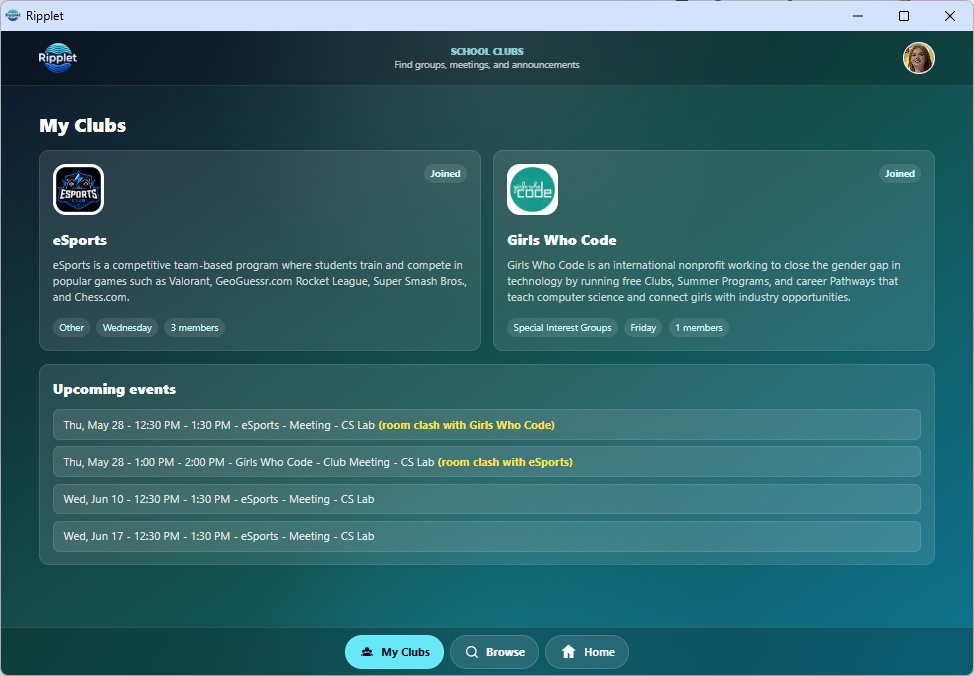
My Clubs and Browse Clubs
Students can see the clubs they belong to, browse school clubs, search by name, filter by meeting day or category, and open clubs that interest them.
Upcoming meetings stay visible
Students get reminders on their Clubs page for upcoming club meetings and activity. Schools can also show club reminders on the main Ripplet Home Screen so students notice important club events alongside their regular Ripplet tools.
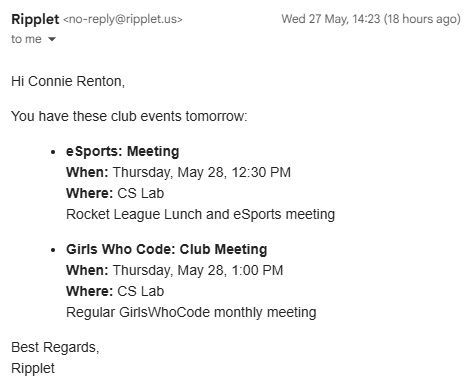
Day-before email reminders
Ripplet can send email reminders the day before upcoming club meetings, helping students remember meetings, rehearsals, service activities, competitions, and other scheduled club events.
Staff can create clubs with the policies each group needs
Clubs are schoolwide rather than tied to a single class roster. Teachers and admins can manage club details without switching class contexts.
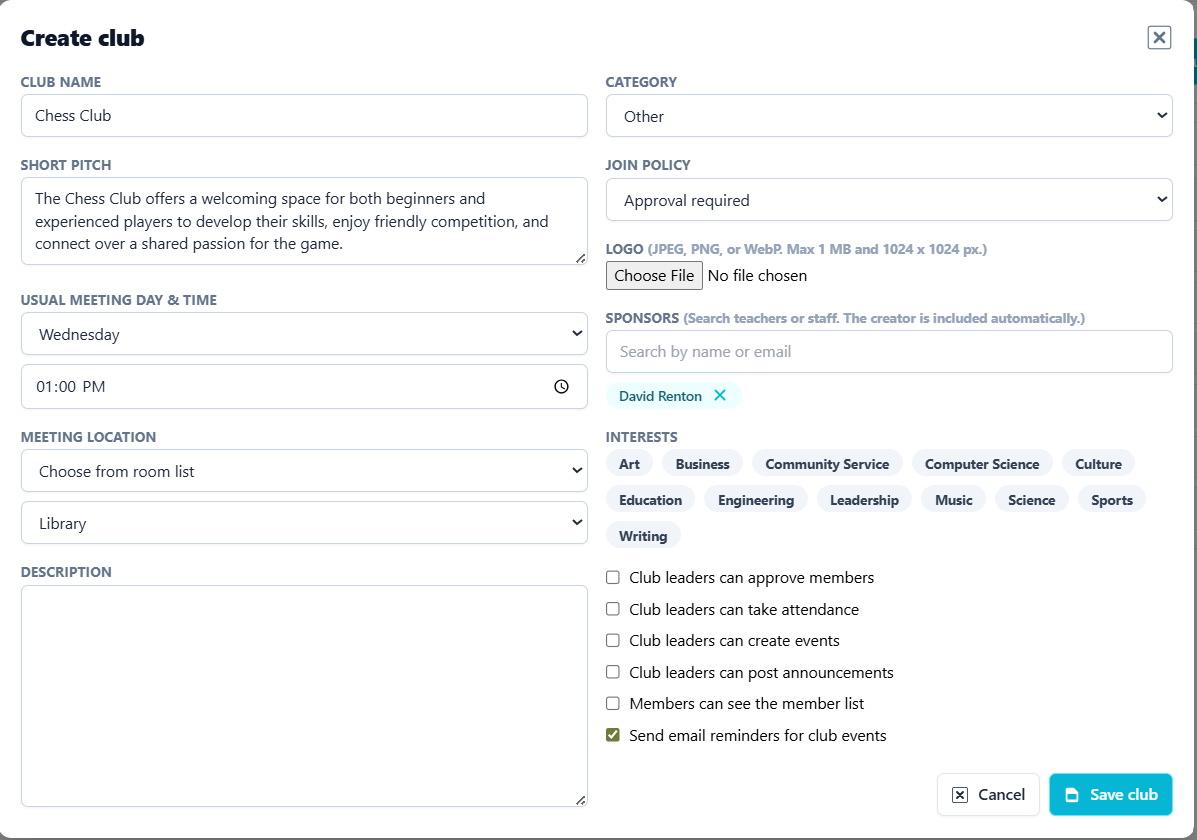
Create and manage school groups
Staff can add a club name, description, category, meeting day, meeting time, location, sponsors, interests, and visibility settings.
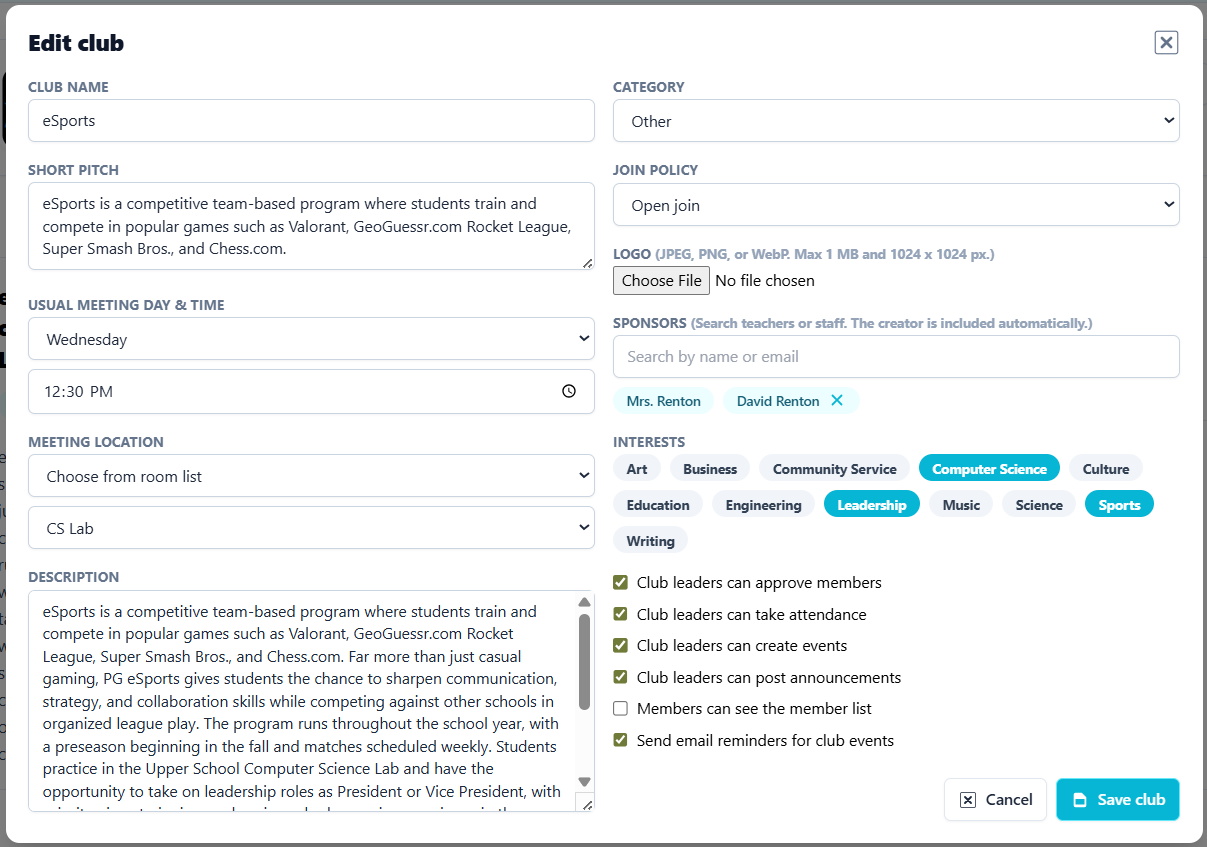
Open, approval-based, or invite-only
Schools can set how students join each club. A club can be open for students to join, require approval before membership, or be managed by invitation when privacy or eligibility matters.
- Student-facing club descriptions and meeting details
- Owner and sponsor management
- Interest tags and categories for discovery
- Member visibility controls for groups that need privacy
Membership tools for sponsors, admins, and student leaders
Clubs supports regular members, owners, sponsors, and student club leaders, giving schools flexibility without losing adult oversight.
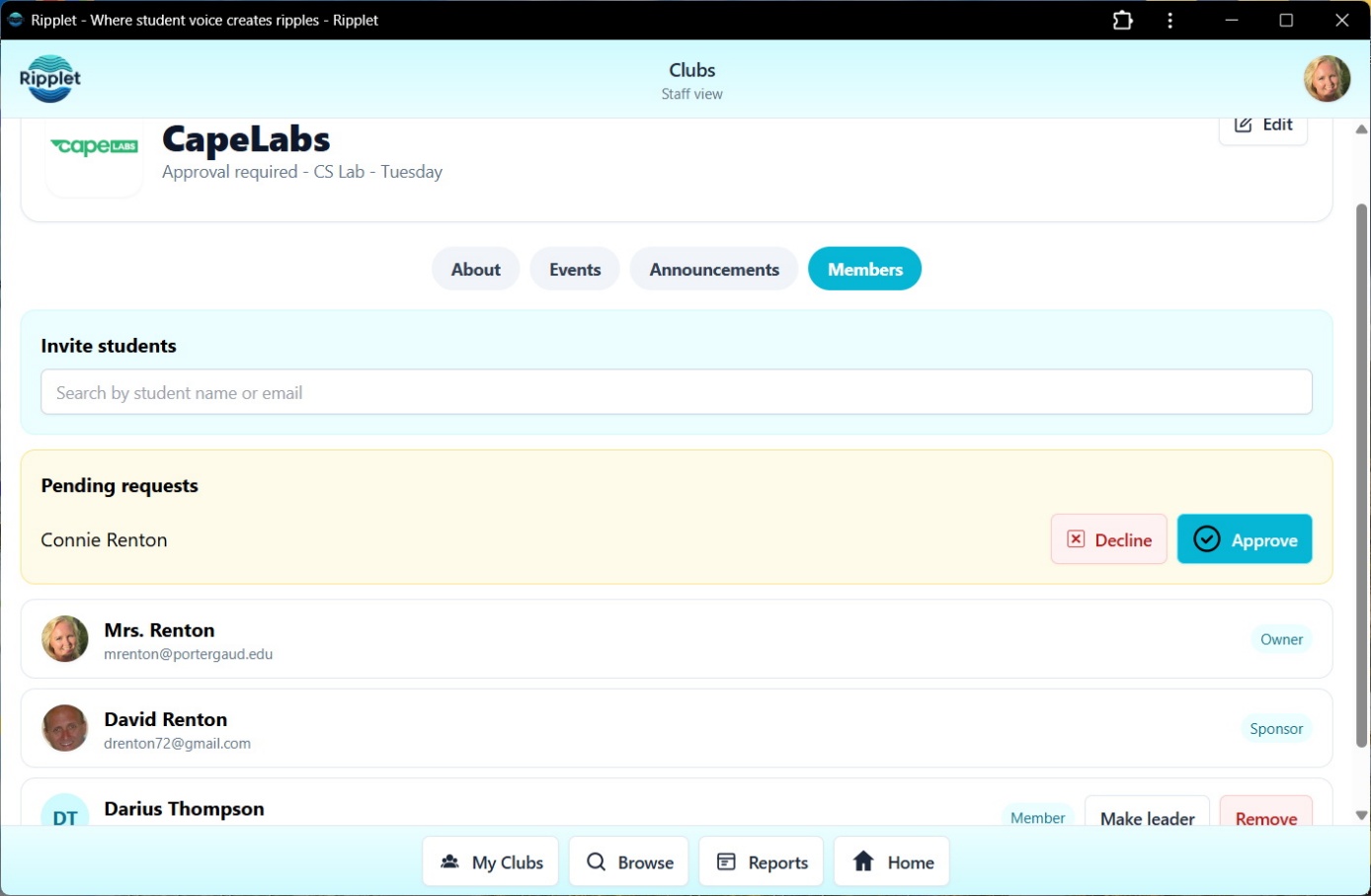
Invite, approve, and assign roles
Teachers can invite students, approve pending join requests, remove members, assign student leaders, and return leaders to regular member status when needed.
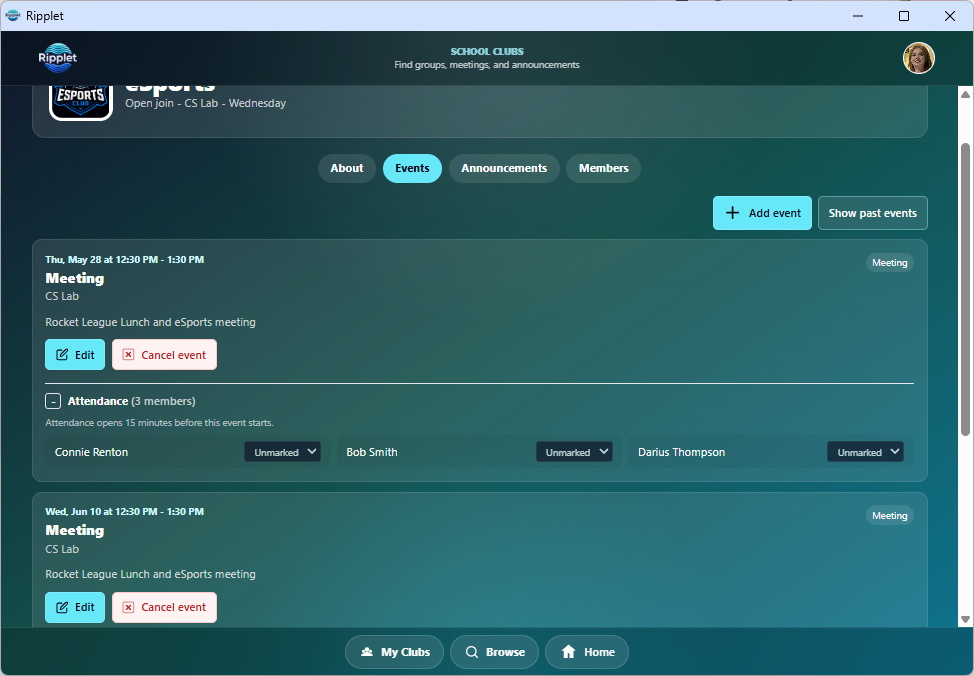
Responsibility with clear permissions
Student club leaders can help with events, announcements, and attendance when the school and club settings allow it. Sponsors keep control over which responsibilities are enabled.
- Club leader roles for students
- Optional leader event permissions
- Optional leader announcement permissions
- Optional leader attendance permissions
Optional service hour tracking, with sponsor approval
Any club can turn on service hour tracking for students who need it, such as service clubs, honor societies, or graduation requirements.
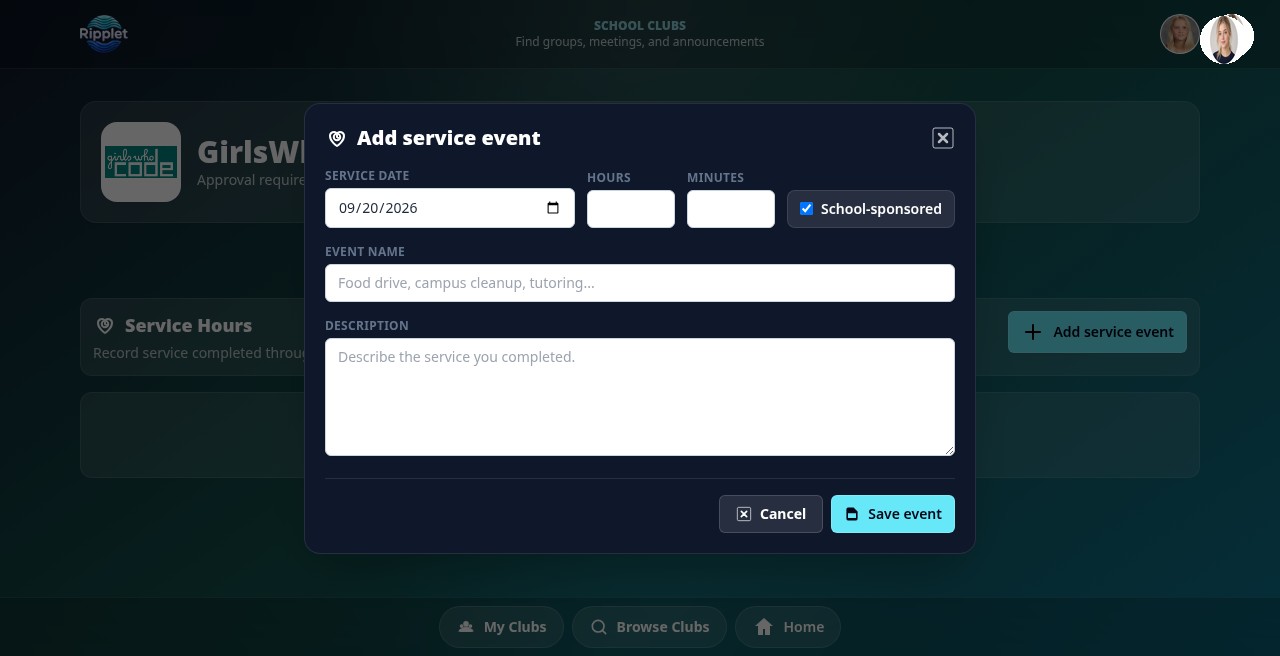
Students log their own hours
Students submit a service entry with the event date, hours, and minutes. Each entry starts as pending until a sponsor reviews it.
Approve, reject, and filter by year
Sponsors approve or reject each entry, with an optional note explaining a rejection. Entries can be filtered by academic year, approval status, or student, so sponsors and admins always know where things stand.
Meetings, notices, and attendance in the same workflow
Club sponsors can schedule one-time or repeating events, post announcements, and take attendance without needing a separate system for every group.
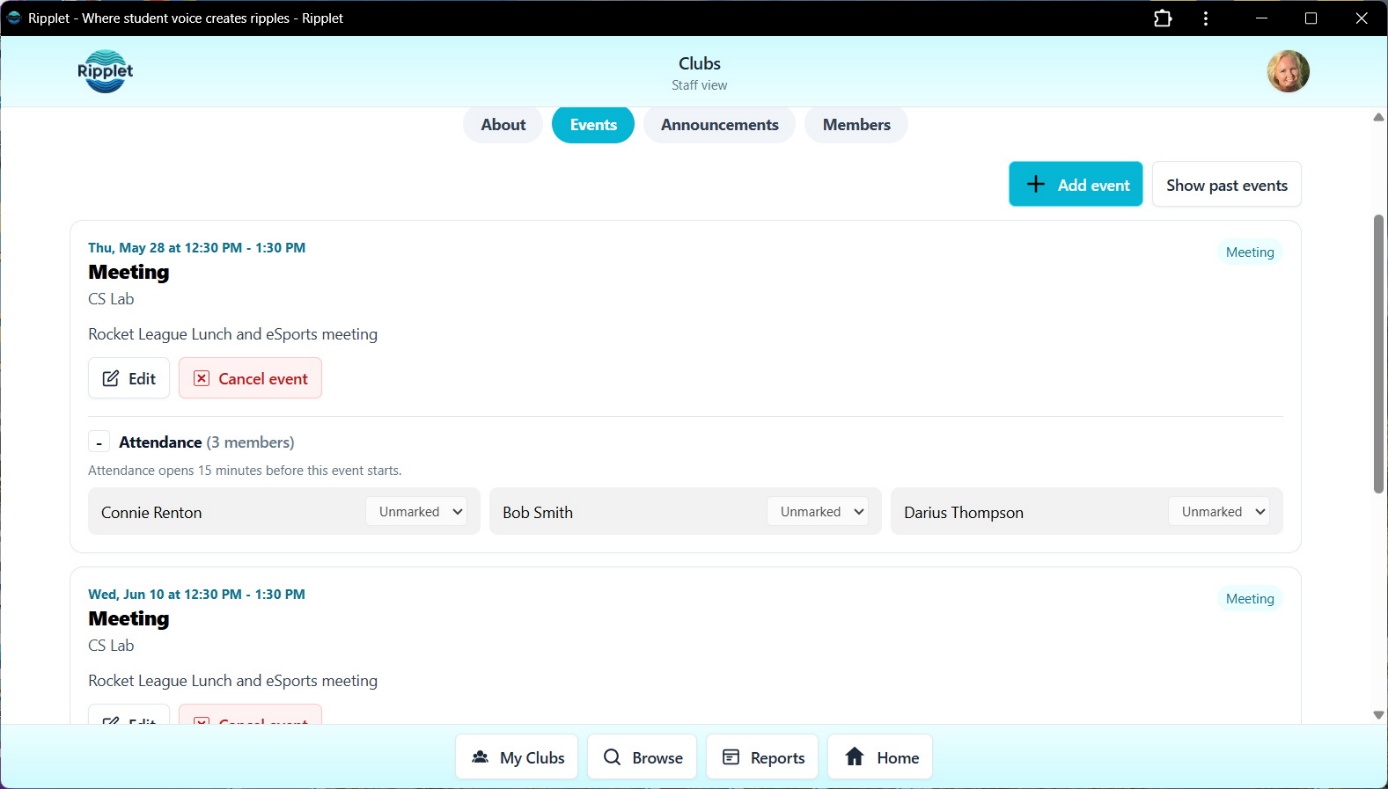
Events and recurring meetings
Staff can add club events with dates, times, locations, descriptions, and repeat options for weekly, biweekly, or monthly activities.
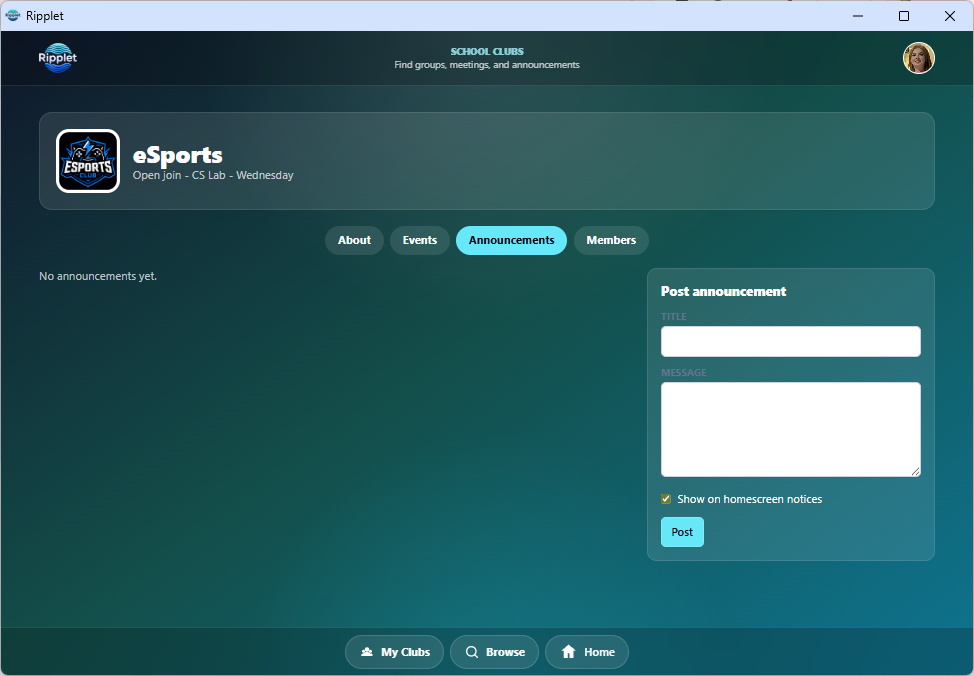
Announcements and Home Screen notices
Sponsors and approved student leaders can post club announcements. Important announcements and event reminders can also appear on the main Ripplet Home Screen.
Participation records for real events
Attendance can be taken from club event cards. Staff can mark students present, absent, or excused, and authorized student leaders can help when the club settings allow it.
Participation data for clubs across the school year
Ripplet Clubs gives school staff a better view of who is participating, which clubs are active, and how consistently students attend club events.
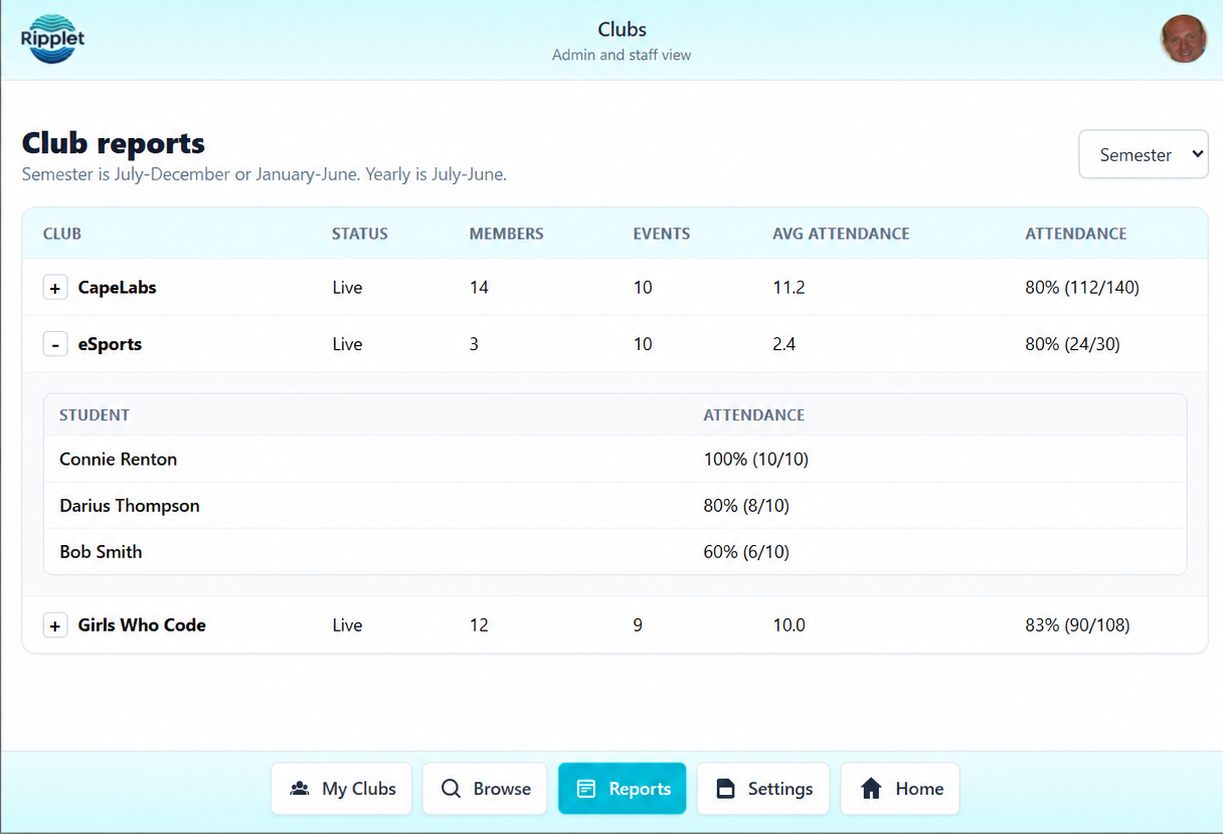
Participation across the school year
Ripplet Clubs gives school staff a clearer view of who is participating, which clubs are active, and how consistently students attend club events.
Weekly, monthly, semester, and yearly views
Reports can summarize membership, event counts, average attendance, attendance rate, sponsor count, and expanded student-level participation details for the selected date range.
- Weekly reports for recent club activity
- Monthly reports for participation patterns
- Semester and yearly views for broader school reporting
- Expanded rows for student-level attendance and participation